LV7: Tam vỹ hồ
NPC: Kim Hương Ngọc
Quái: Tam Vỹ Hồ
1. Gỡ bỏ bản cập nhật KB5006670:
Như đã nêu ở trên, một số người dùng bắt đầu gặp sự cố này chỉ sau khi cài đặt bản vá bảo mật mới nhất, tức là KB5006670 trên thiết bị của họ. Vì vậy, như một giải pháp thay thế, bạn nên thử xóa bản cập nhật tích lũy này và xem liệu nó có giải quyết được sự cố hay không. Dưới đây là cách gỡ cài đặt bản vá bảo mật tháng 10 năm 2021 trên các phiên bản Windows 10 21h1, 20h2 và 2004.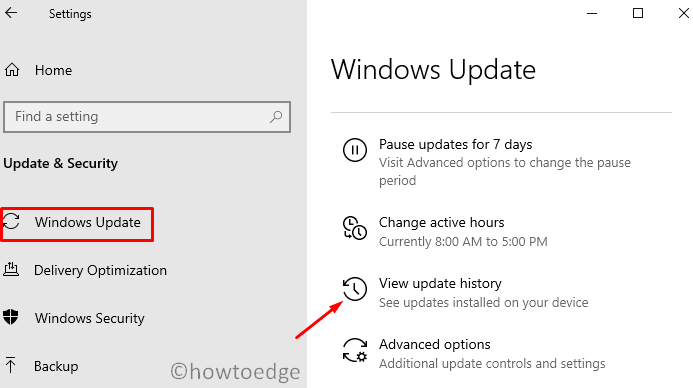
After this cumulative update uninstalls, restart your PC again, and see if you can now print your documents.
Note: Alternatively, you may also CMD (Admin) to uninstall recently installed updates from your computer. After you open the Command Prompt, copy/paste this code, and press Enter.
wusa /uninstall /kb:5006670
After running this code successfully, restart your PC and see if it helps to solve the printing issues.
msdt.exe /id PrinterDiagnostic

Windows 10 works on users’ behalf and auto manage the available printers. If you are facing the 0x00000709 error, you should disable this optional feature by opening the local settings on your PC. Here’s how to perform this task –

If the problem persists even after applying the above fixes, check if this is occurring because of the registry entry – PointAndPrint. You may configure this DWORD entry by opening the Command Prompt as admin. here’s how you may modify this key on the registry –
reg add "HKEY_LOCAL_MACHINE\Software\Policies\Microsoft\Windows NT\Printers\PointAndPrint" /v RestrictDriverInstallationToAdministrators /t REG_DWORD /d 1 /f
The error 0x00000709 should disappear from the next logon.
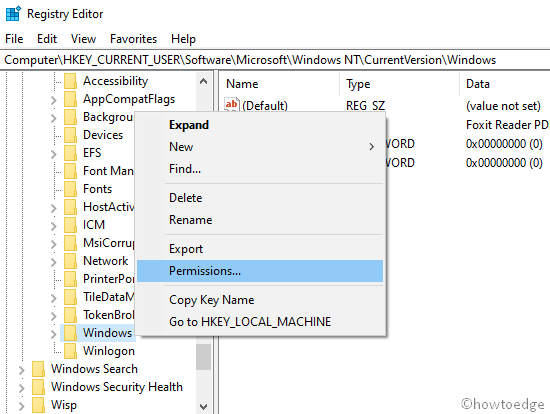
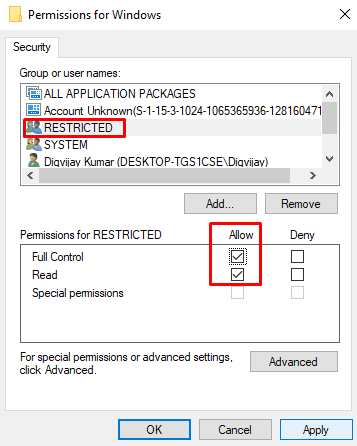
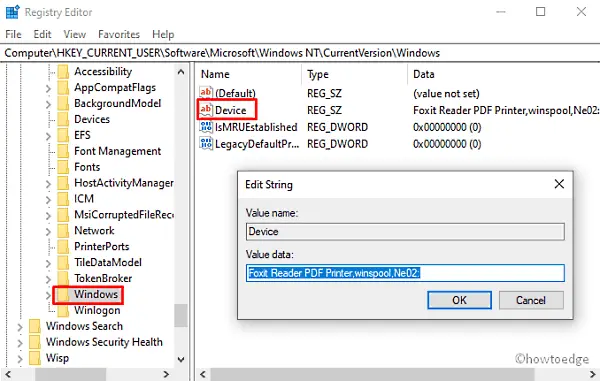
HKEY_CURRENT_USER\Software\Microsoft\WindowsNT\CurrentVersion\Windows
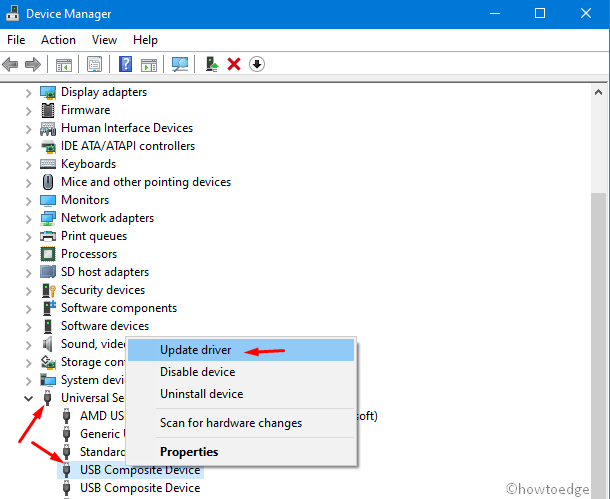
The presence of obsolete printer drivers may also result in Error 0x00000709 on Windows 10 PC. To rule out this section, you must update all the Print drivers using the below steps –
Nguồn tham khảo: How To Edge
.exe whereas the class library will then be compiled into a dll which you can reference in your windows project.